 SakinSee the Sakin bookmark
Sakin Site Blocker · Chrome extension
Take a break from
distracting websites.
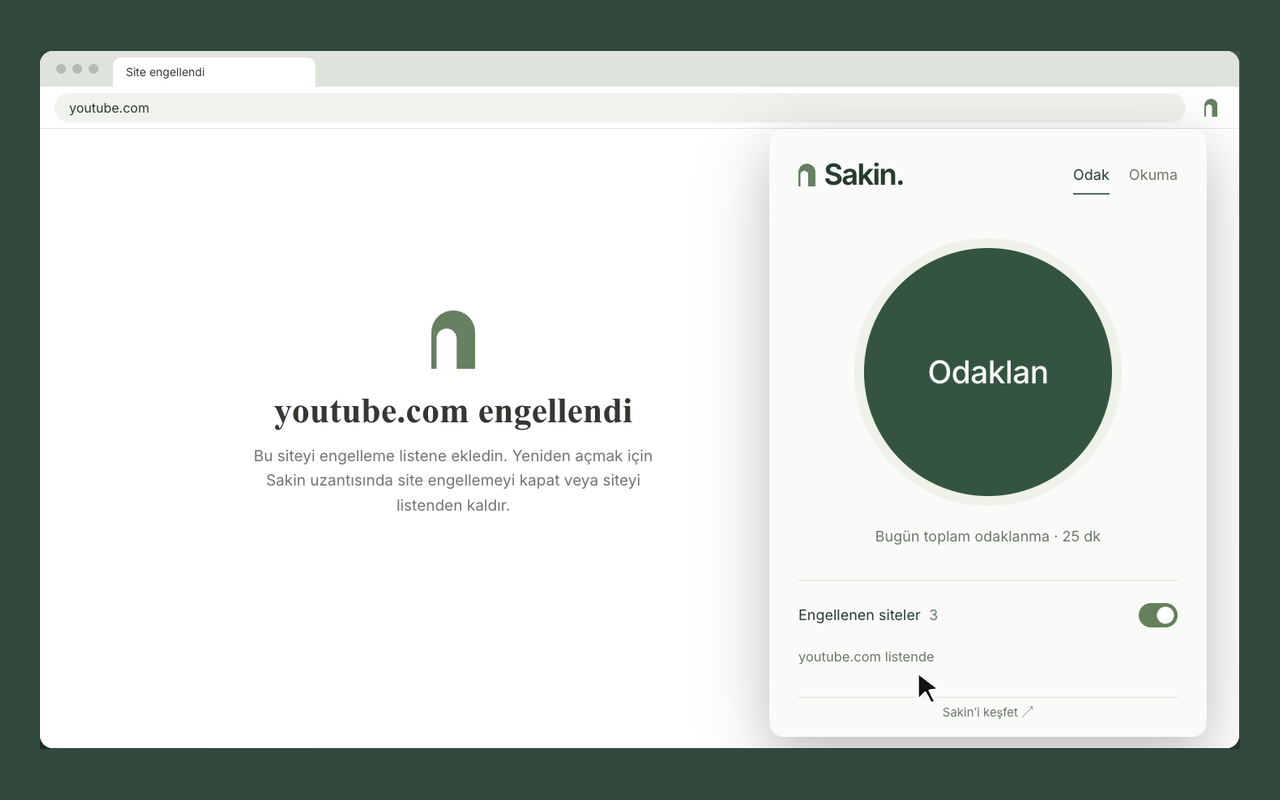
Select the websites. Let Sakin block access. Continue your work, study, or reading.
Free. No account or Sakin bookmark is required.
How to use it
Select a website.
Continue your work.
- 01
Add a website.
Enter the address or add the open website from the extension. Subdomains are also blocked.
- 02
Switch on blocking.
Listed websites and their open tabs are blocked. Your list stays when you restart Chrome.
- 03
Change the list when necessary.
Remove a website from your list or switch off blocking. You can remove the extension at any time.
You can also record your reading.
Your books and
your reading time.
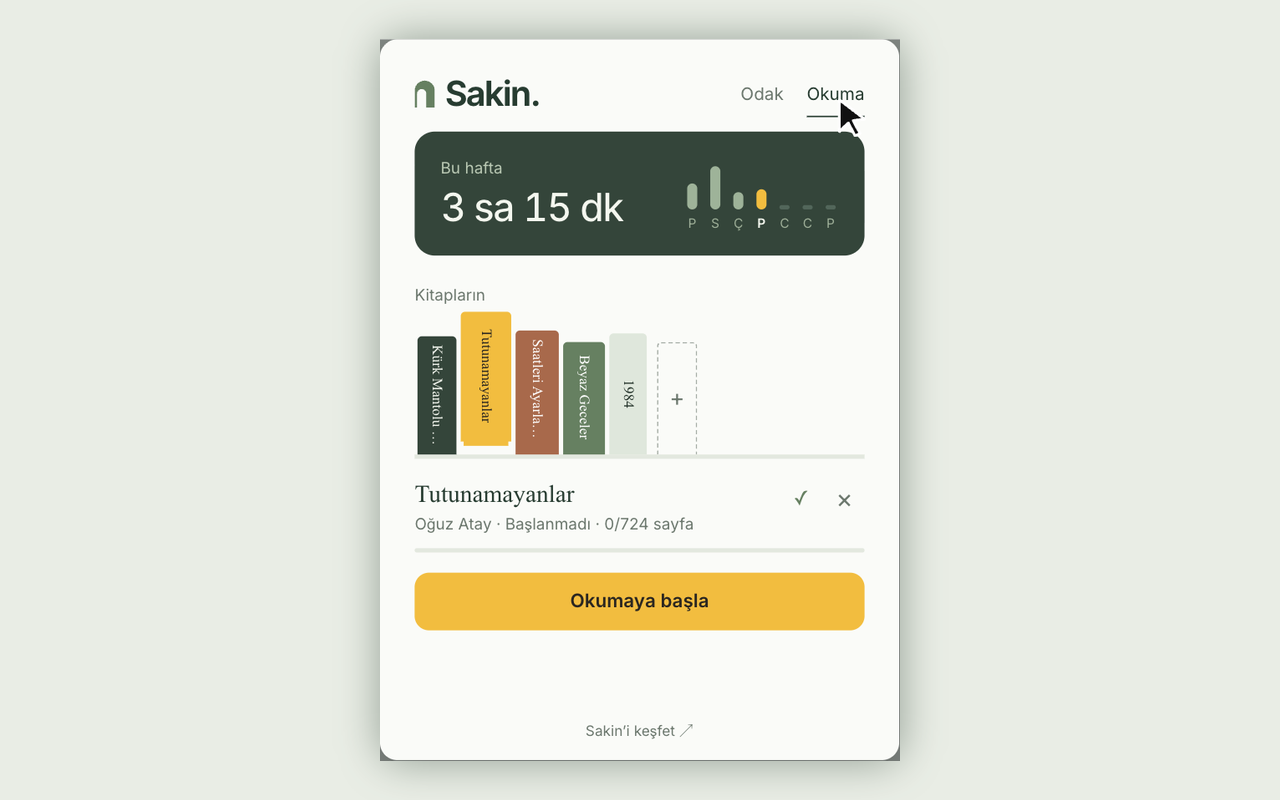
Add a book. Start the timer or enter reading time by hand. See your pages read and weekly reading time.
You can choose to block your website list during a reading session.

If your phone also distracts you,
With Sakin
take a break from it.
Touch the Sakin bookmark to a compatible iPhone or Android phone. Use the free Sakin mobile app to restrict selected apps.
The bookmark is a separate product. Buy it once. No subscription is required. The Chrome extension works on its own and does not connect to the bookmark.
See the Sakin bookmarkCheck phone compatibility and delivery information on the product page.
Questions and support
What you need to know.
Do I need a Sakin bookmark or account?
No. The extension works on its own. It is free. You do not need a bookmark, mobile app, or account.
Can it also block apps on my computer?
No. It only blocks websites in the Chrome profile where it is installed and enabled. It does not block other browsers, desktop apps, or your phone.
How do I stop blocking?
Switch off website blocking or remove the website from your list. A reading session can also start blocking. In that case, end the session or switch off “Block my listed websites while I read”.
Where are my data stored?
Your site list, books, and reading records stay in the Chrome profile on this computer. They are not sent to Sakin or other devices. The extension does not record browsing history.