
Compare
Sakin or built-in phone controls?
Do I need Sakin if my phone already has focus controls?
If your phone controls meet your needs, you do not need to buy Sakin. Try iPhone Focus to silence notifications. Use Screen Time or Android Digital Wellbeing to limit app use. Consider Sakin if you want to tap a separate object to start a session and record your reading time. The bookmark costs money. The app is free, with no subscription. The physical bookmark is not a security lock that prevents all changes.
The Sakin team prepared this page. Apple and Google features are based on official documentation. We did not run a comparative performance test on the same devices.
Different methods for the same need
Silencing notifications and restricting app access are different actions.
You can scroll the table horizontally.
| Need | Built-in phone controls | Sakin |
|---|---|---|
| Silence notifications | iPhone Focus can silence notifications except those you allow. Focus alone does not block app access. [1] | Restricts selected apps during a session. On Android, silencing notifications needs separate, optional Notification Access permission. [4] |
| Limit app use | iPhone Screen Time provides time allowances and schedules. Android app timers set daily limits. Android Focus mode pauses selected apps. [2, 3] | Select apps in Sakin. Tap the bookmark to start a reading or focus session. System permissions are required. [4, 5] |
| Start and finish | Turn on the mode from your phone, or use a supported schedule. Android Focus mode lets you take a break. [1–3] | In the physical tap workflow, tap the bookmark again to finish. Timed sessions finish according to the selected mode. Keep the bookmark with you. [4, 5] |
| Extra hardware and cost | No extra bookmark or subscription purchase is required. Feature support depends on your phone and system version. [1–3] | Pay once for the physical NFC bookmark. The app is free, with no subscription. The bookmark needs no battery or charging. |
| Keep records | Screen Time and Digital Wellbeing report phone and app use. This is a different measurement from time spent reading books. [2, 3] | Keep a library and record reading sessions. A recorded session does not prove that you stayed focused throughout. [4, 5] |
| Change restrictions | Settings, passcode or PIN options, and breaks vary by version. Check the options on your phone. [2, 3] | System permissions can be changed. Sakin does not promise to prevent every way to remove restrictions or to provide stronger blocking. |
Which option fits your use?
If notifications are the problem
Try your phone notification settings first. On iPhone, allow essential contacts in Focus. If you can read comfortably after notifications stop, you may not need another product.
iPhone Focus guideIf you want daily limits or a schedule
Try Screen Time on iPhone or Digital Wellbeing on Android. Android Focus mode can pause selected apps while you read. Check access to essential apps on either system.
Review built-in controlsIf free settings are not enough and you want no subscription
First identify what you need from extra software. ScreenZen offers free limits and schedules. On iPhone, Foqos lets you try a physical step with a QR code or standard NFC tag. A proprietary device is not required.
Compare subscription-free options and costsIf you want a physical start to reading
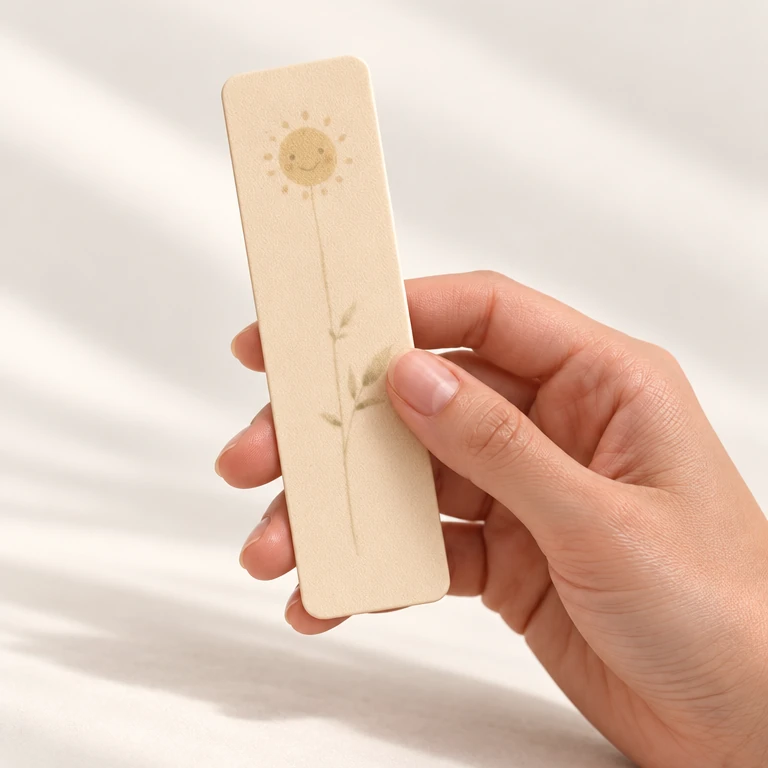
Consider Sakin if you want to tap the bookmark in your book and record reading sessions. Use your current method if you do not want to carry a bookmark or if free controls are sufficient.
See the Sakin appIf you are choosing between physical products
Sakin is a bookmark with reading records. Brick uses a separate device to restore app access. Both offer a one-time purchase. Unpluq Tag requires a Premium subscription. Compare phone support, delivered cost and access when the object is not with you.
Compare physical tools and session endingsAn example: read for 30 minutes
Suppose you want to restrict Instagram and TikTok while keeping calls and essential messages available. This is a setup example, not a measured device test.
iPhone
Use Focus for notifications. To restrict app access, also set up the Screen Time schedules and limits available in your version. Keep essential apps allowed. [1, 2]
Android
If Digital Wellbeing has Focus mode, select Instagram and TikTok, then turn it on. Turn it off when you finish. A daily 30-minute app timer is different from pausing apps during this reading period. [3]
Sakin
Grant the required permissions. Select Instagram and TikTok for the session. Tap the bookmark to start reading. Finish with the tap or timer rule for your selected mode. Check that calls and essential messages can reach you. [4, 5]
Before you choose Sakin
- iPhone: a compatible model with iOS 17+ and Screen Time authorization is required. Android: Android 9+, NFC, and Accessibility permission for Shield Mode are required. Check store compatibility and the setup guide.
- iPhone and Android use different system permissions. Menu names, available features, and restriction behavior can vary by system version and device.
- This page compares selected phone apps. Do not assume that the same service in a browser, other devices, or all websites will also be blocked.
- Sakin does not guarantee more reading or a specified reduction in screen time. This page covers personal use. It does not compare parental controls or business device management.
If free controls are sufficient, keep using them.
If you want a physical starting point, check phone compatibility first. Then check the product and shipping total.
- One bookmark
- ₺765
- Standard shipping within Turkey
- ₺0 (1–30 November 2026); ₺140 (outside these dates)
- One bookmark + standard shipping
- ₺765 (1–30 November 2026); ₺990 (1 Aralık 2026’dan itibaren)
From 1–30 November 2026, shipping within Turkey is free on all orders. No minimum or code is required. Outside these dates, shipping is ₺140 for one or two bookmarks and free for three or more.
The app is free, with no subscription. This total is for one bookmark without a discount code. Other quantities and the final total are shown on the product page and at checkout.
Sakin and current pricingSources and scope
Apple and Google documentation was checked on 29 October 2026. Documents can change. Use the guide for your system version. Sources for other products' payment and access rules are in the comparison guides linked above. Use case recommendations are the Sakin team's assessment.
Compare other apps as well ↗